Send Invoices and Get Paid — Simple, Free, Your Way
Hansa⚡Bolt Gotland makes invoicing and payments easy. Create and send invoices, take payments in person or online, and let customers pay with Swish, cash, or Bitcoin — all in one system.
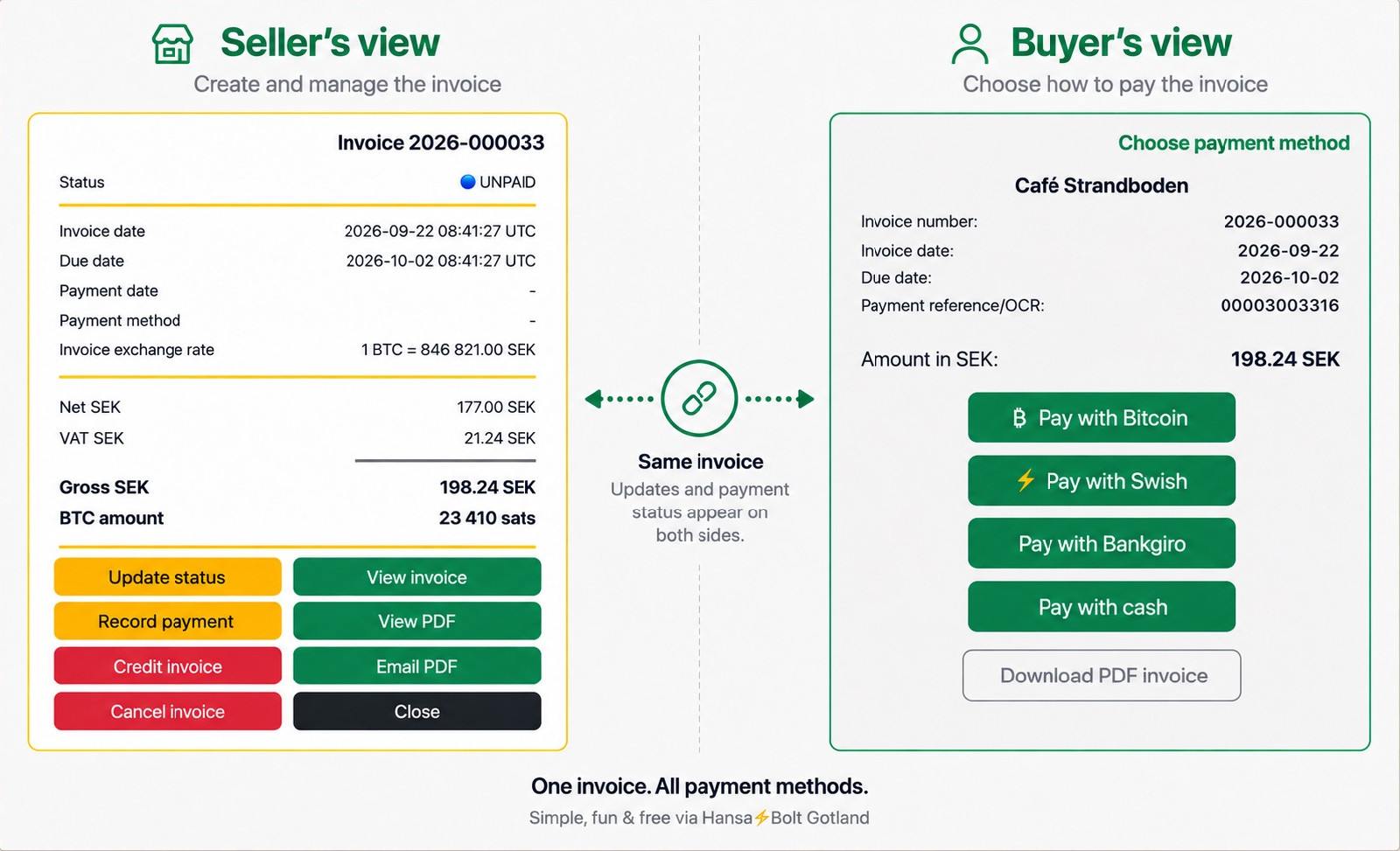
One Invoice. All Payment Methods.
Manage customers, products, and invoices.
Email invoices directly to customers and track payments however they choose to pay. Everything in one place.
Your customer receives the invoice and chooses how to pay. Swish, bank transfer, cash, or Bitcoin — you choose which payment methods to offer.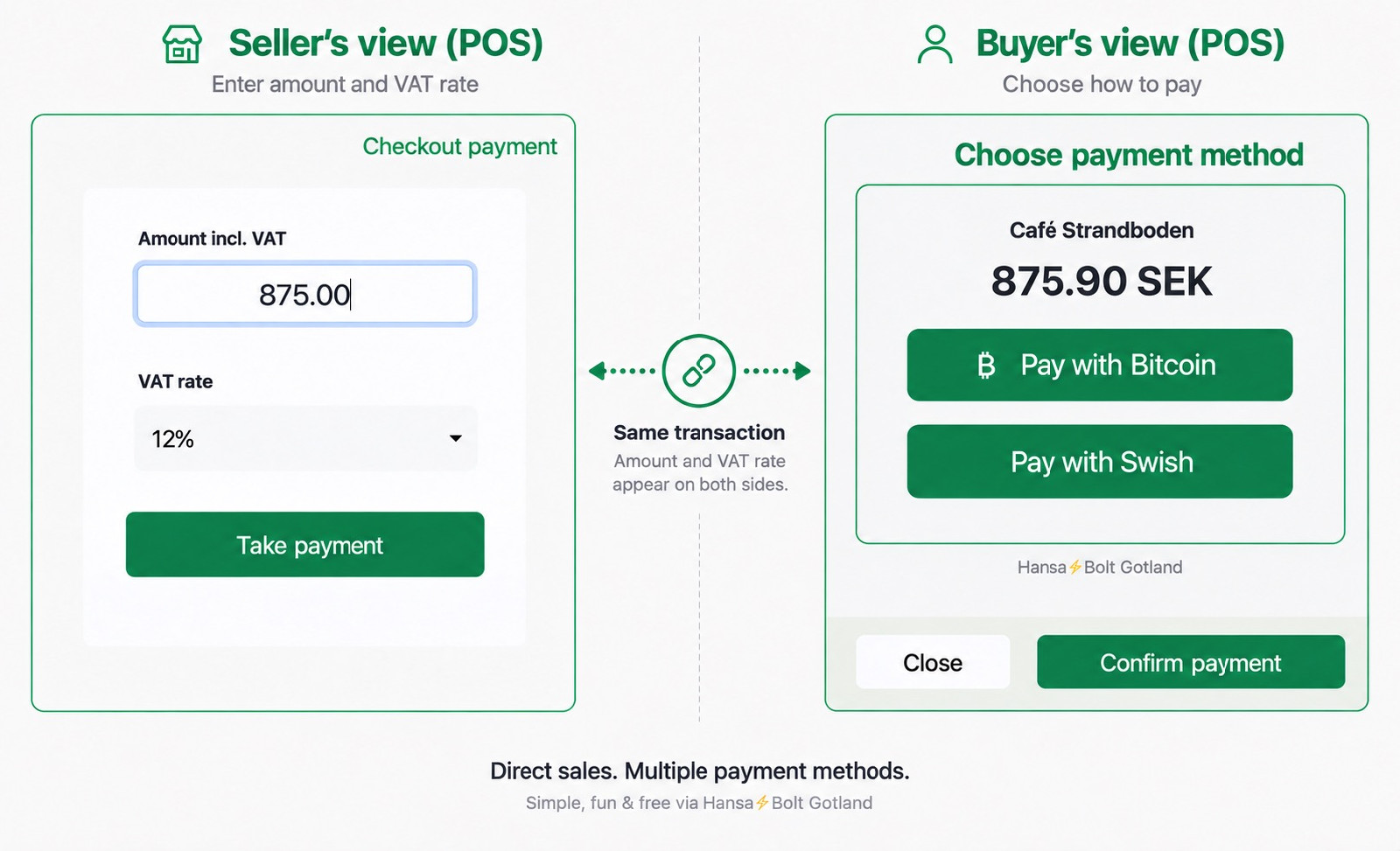 Hansa⚡Bolt Gotland also supports simple point-of-sale transactions.
Enter the amount and VAT rate, select Take Payment, and let the customer pay with Swish, cash, or Bitcoin.
No extra equipment needed — use the same system for invoicing and payments in person.
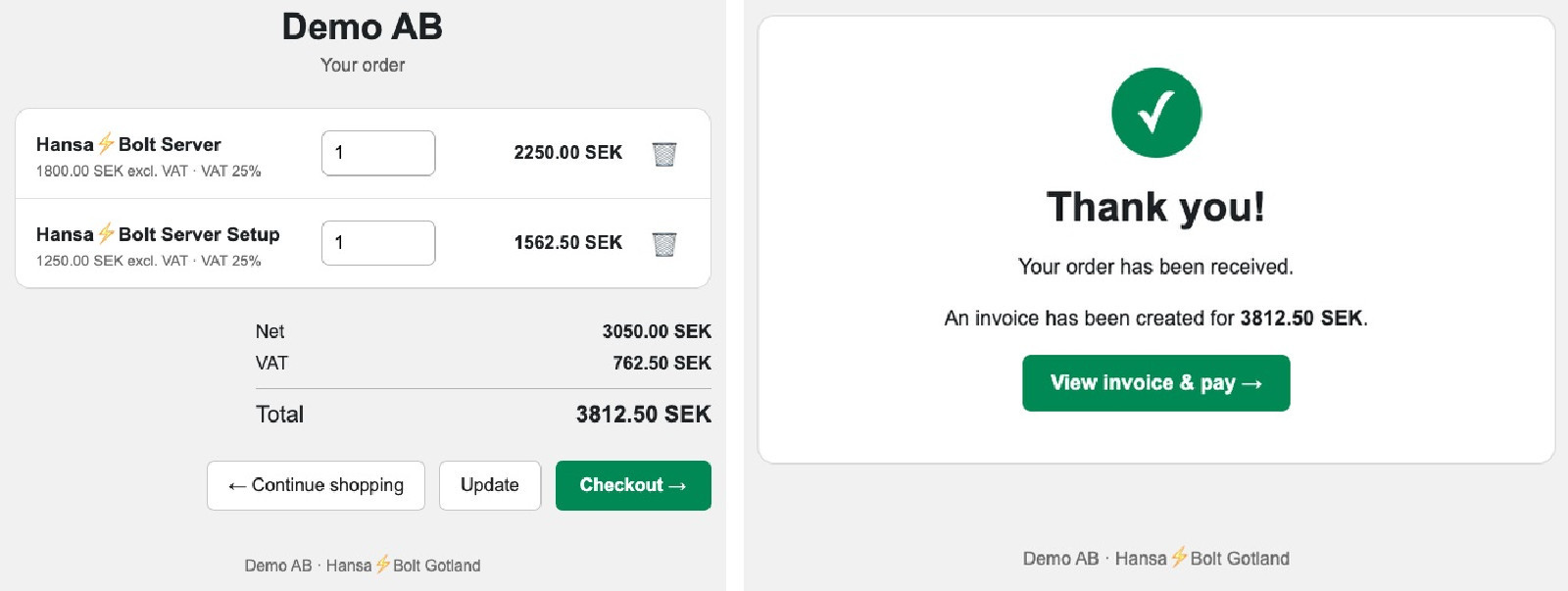 Sell products and services online through your own easy-to-use online shop.
Customers choose what to buy, proceed to checkout, and automatically receive an invoice. They then choose how to pay — for example, with Swish, bank transfer, or Bitcoin.
The online shop is included in Hansa⚡Bolt and uses the same customers, products, invoices, and payment flows as the rest of the system.
No separate online shop platform or payment service needed.
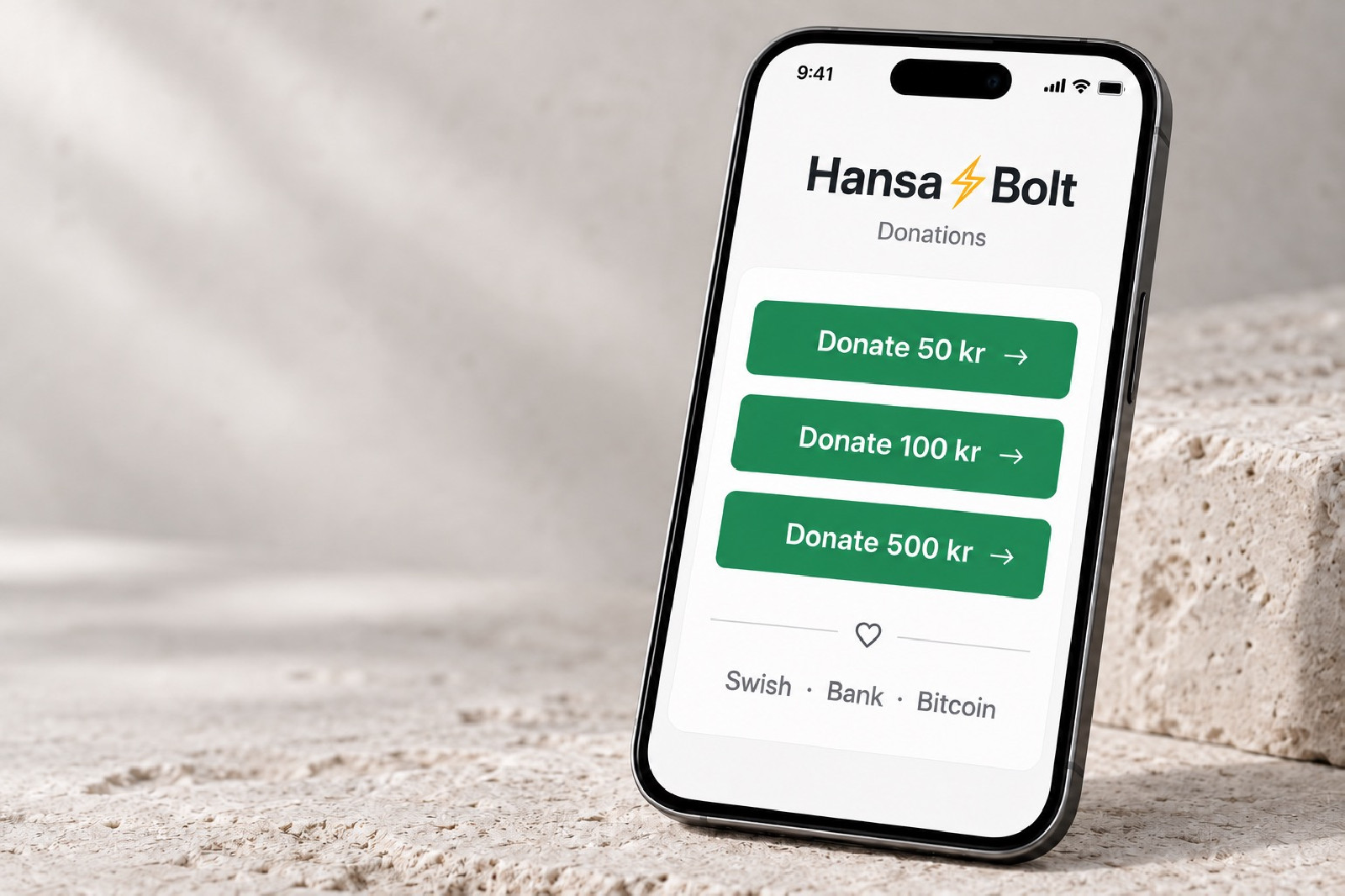 Hansa⚡Bolt gives businesses, associations, projects, and other initiatives their own simple donation page.
Donors do not need an account, and Hansa⚡Bolt does not require a name, email address, or other personal information. Donors can choose to leave a message or their contact details.
Donors can pay with Swish, Bankgiro, bank transfer, Bitcoin, or any other payment methods the recipient chooses to offer. Funds go directly to the recipient. Hansa⚡Bolt never holds donations or takes a percentage.
No account needed. No personal information required. Donations go directly to the recipient.
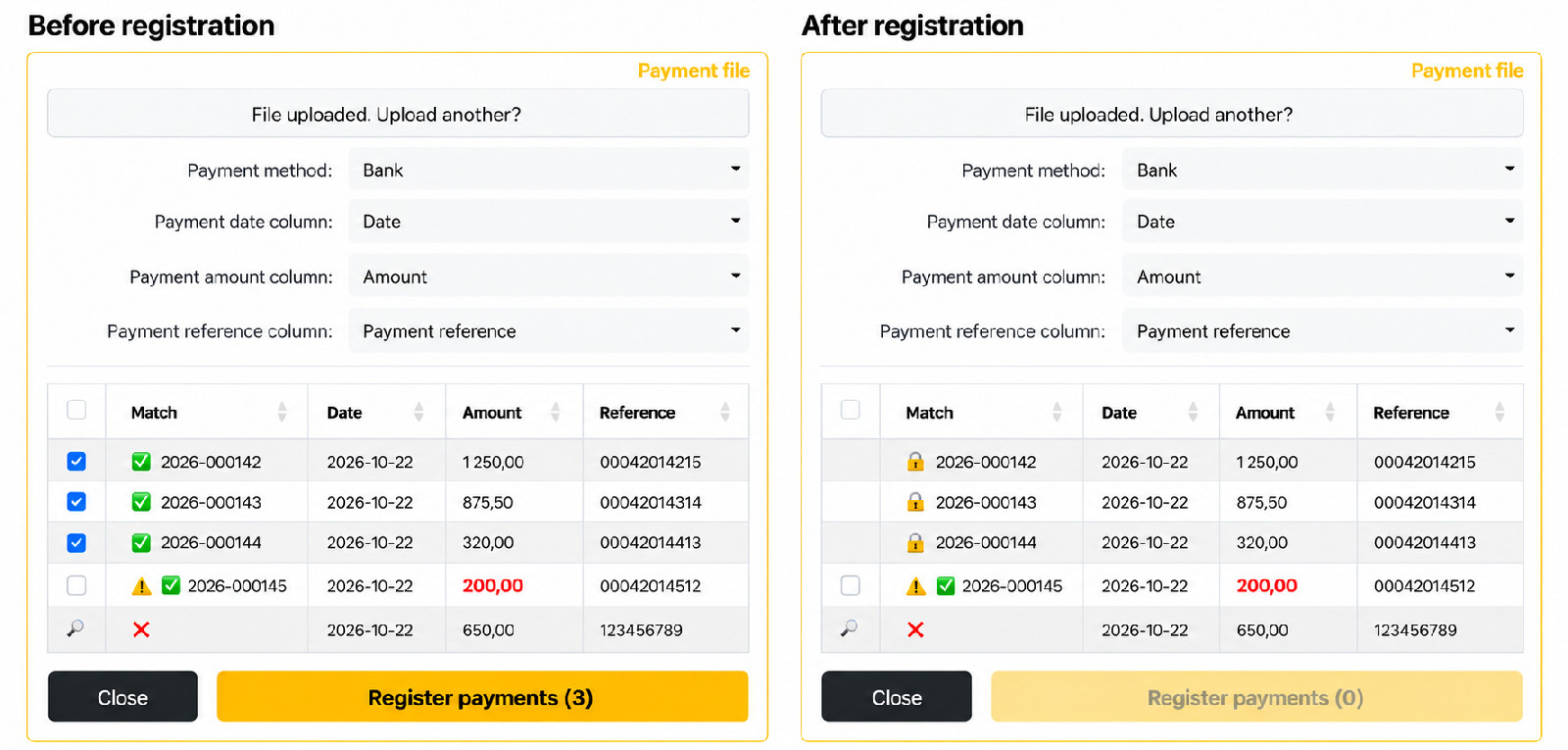 Upload a CSV or TSV payment file from your bank. Hansa⚡Bolt matches payment references to your invoices — you review and register the payments you want to mark as received.
Previously registered payments are recognised and skipped. Partial payments and amount differences are clearly highlighted, and invoice payment statuses are updated automatically when you register the payments.
One file from your bank. Automatic matching. You stay in control.
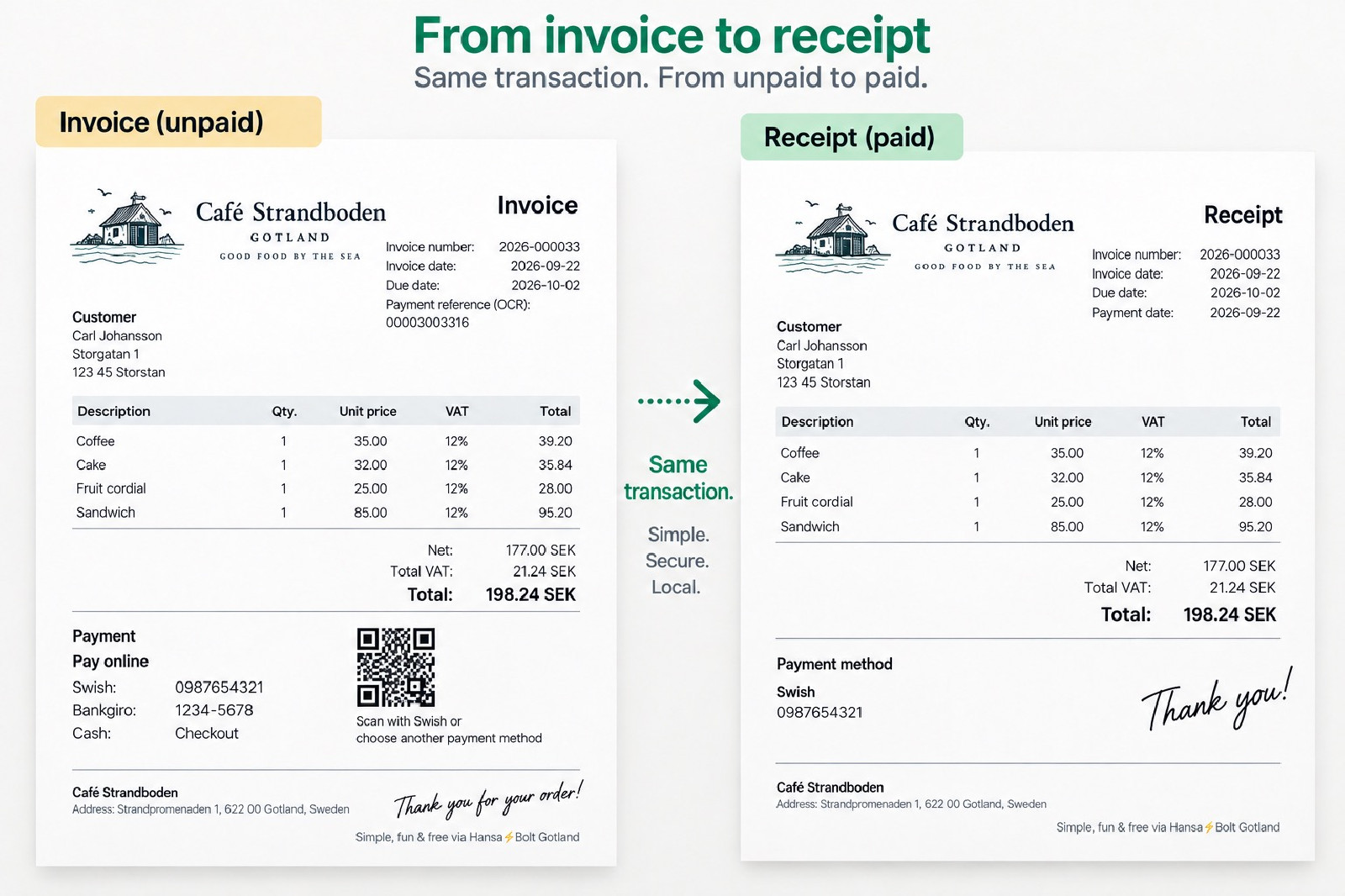 Export invoices and payments directly to your accounting software with the built-in SIE4 export. Save yourself the work of manually entering sales, VAT, and payments.
Email invoices directly to customers and track payments however they choose to pay. Everything in one place.
Your customer receives the invoice and chooses how to pay. Swish, bank transfer, cash, or Bitcoin — you choose which payment methods to offer.
Take Payments in Person
Hansa⚡Bolt Gotland also supports simple point-of-sale transactions.Enter the amount and VAT rate, select Take Payment, and let the customer pay with Swish, cash, or Bitcoin.
No extra equipment needed — use the same system for invoicing and payments in person.
Accept Payments Online
Sell products and services online through your own easy-to-use online shop.Customers choose what to buy, proceed to checkout, and automatically receive an invoice. They then choose how to pay — for example, with Swish, bank transfer, or Bitcoin.
The online shop is included in Hansa⚡Bolt and uses the same customers, products, invoices, and payment flows as the rest of the system.
No separate online shop platform or payment service needed.
Accept Private Donations
Hansa⚡Bolt gives businesses, associations, projects, and other initiatives their own simple donation page.Donors do not need an account, and Hansa⚡Bolt does not require a name, email address, or other personal information. Donors can choose to leave a message or their contact details.
Donors can pay with Swish, Bankgiro, bank transfer, Bitcoin, or any other payment methods the recipient chooses to offer. Funds go directly to the recipient. Hansa⚡Bolt never holds donations or takes a percentage.
No account needed. No personal information required. Donations go directly to the recipient.
Match bank payments automatically in a few clicks
Upload a CSV or TSV payment file from your bank. Hansa⚡Bolt matches payment references to your invoices — you review and register the payments you want to mark as received.Previously registered payments are recognised and skipped. Partial payments and amount differences are clearly highlighted, and invoice payment statuses are updated automatically when you register the payments.
One file from your bank. Automatic matching. You stay in control.
Ready for Bookkeeping
Export invoices and payments directly to your accounting software with the built-in SIE4 export. Save yourself the work of manually entering sales, VAT, and payments.